Extended Draw Distance v1.1.1
Required mods: Ultimate ASI Loader (x64, installed as winmm.dll next to AlanWake2.exe (winmm-x64.zip))
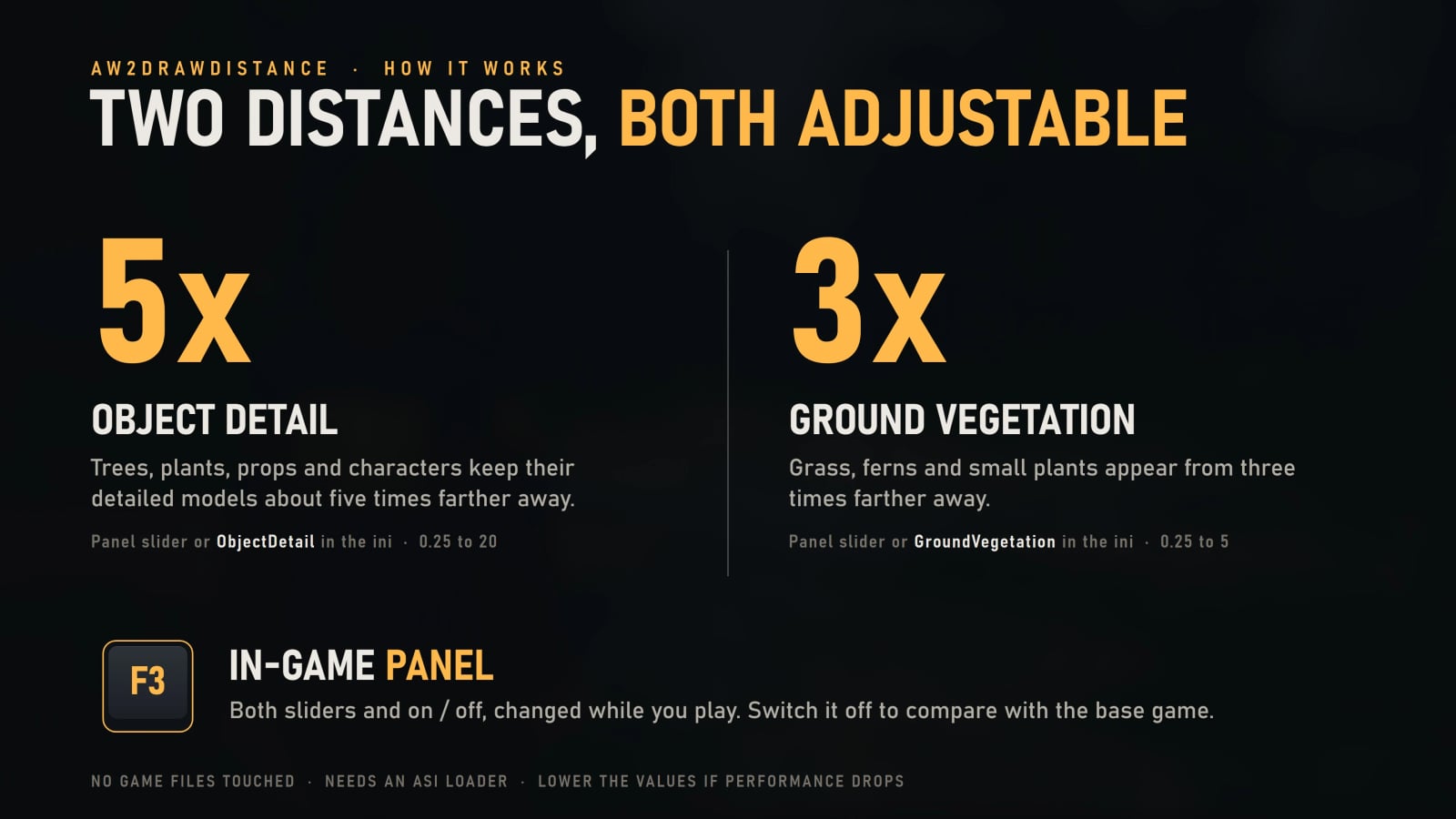
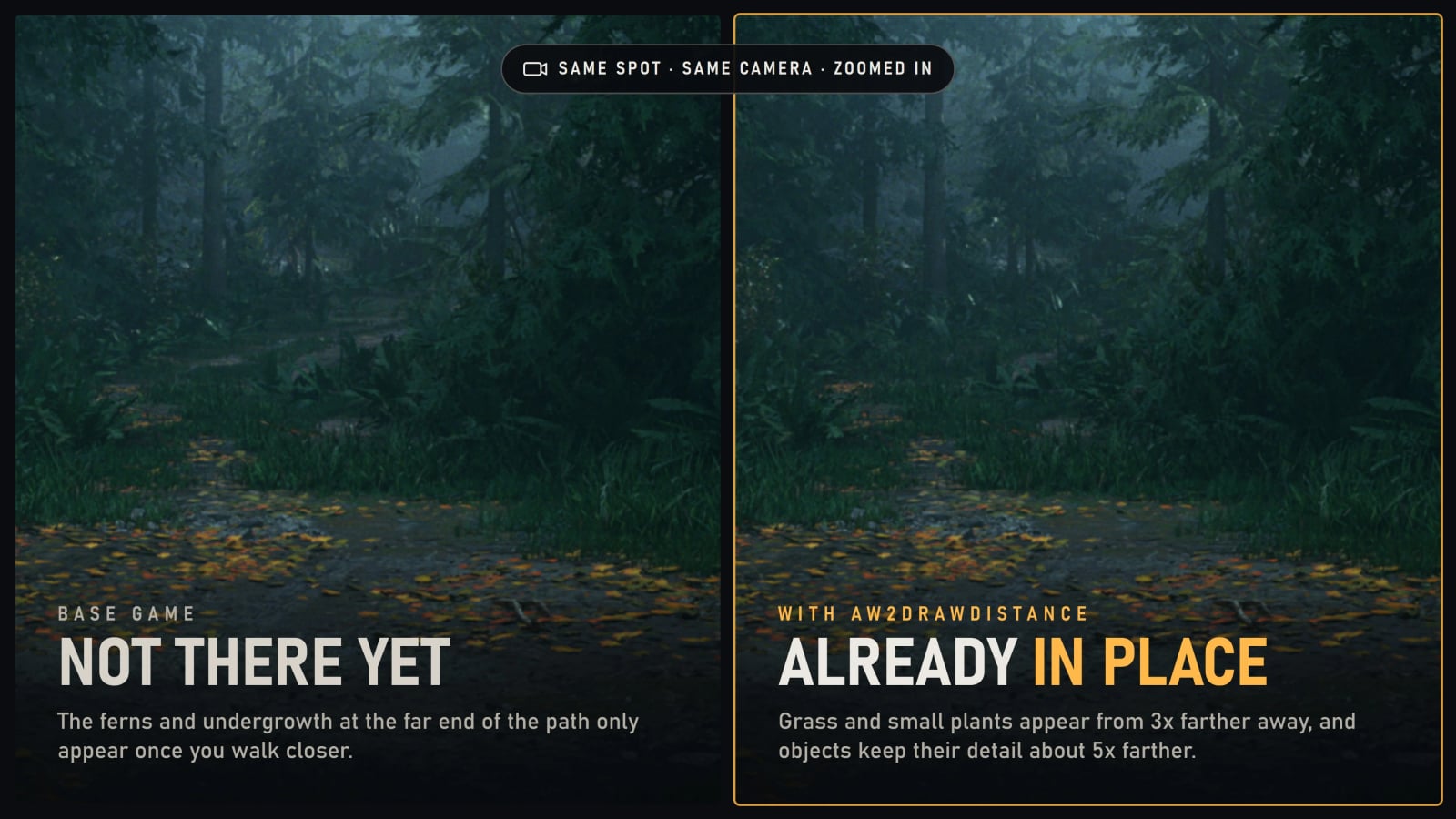
Trees, plants and props keep their detailed models about 5x farther away, and grass and small plants appear from 3x farther away, so far less pops in as you walk. Both values are adjustable on an in-game panel, which also switches the mod.
Features
- Object detail: every object keeps its detailed models about 5 times farther away.
- Ground vegetation: grass and small plants appear from 3 times farther away.
- The in-game panel switches the mod off and on while you play, so you can compare with the original game on the spot.
- Both values can be changed in game on a panel with sliders (F3) or in the ini.
Specifications
- Object detail multiplier: default 5, with 1 representing the game’s own distances, adjustable from 0.25 to 20.
- Ground vegetation multiplier: default 3, with 1 representing the game’s own distance, adjustable from 0.25 to 5.
Requirements
An ASI loader. Tested with Ultimate ASI Loader (x64) installed as winmm.dll: download winmm-x64.zip and put winmm.dll next to AlanWake2.exe. If you already have a loader that loads the game’s plugins folder, keep it.
Installation
- Vortex: click “Mod Manager Download”, install, deploy.
- Manual: copy the
pluginsfolder of the archive into the game folder, so thatAW2DrawDistance.asiandAW2DrawDistance.iniend up in the game’spluginsfolder.
Start the game: pluginsAW2DrawDistance.log appears and says what was loaded. If that file does not appear, the ASI loader is not working.
Controls and keys
- F3 – in-game panel, open or close. The key can be changed in
AW2DrawDistance.ini. - There is no separate on or off key: the mod is switched on and off on the panel.
How to use
F3 opens a small panel in the top-left corner. ON / OFF, at its top right, shows whether the mod is on: go up to it with Up, then press Right to switch the mod off or Left to switch it on, the way its small arrow points, high beep for on and low beep for off.
Below it are two sliders: Object detail and Ground vegetation. Pick a row with Up / Down and change it with Left / Right, on the keyboard arrows or on the controller’s d-pad; Home puts back the default. A change shows in the game at once and is saved to the ini.
The mark on each bar is 1x, the game’s own distance. While the panel is open the game does not get the d-pad, so it does not act on it as you adjust. The panel is an ordinary window drawn over the game: it does not touch the game’s graphics.
Settings and configuration
AW2DrawDistance.ini is re-read while the game is running.
ObjectDetail– multiplier of the distance at which objects switch to simpler models. Default 5; 1 = the game’s own distances; from 0.25 to 20.GroundVegetation– multiplier of the distance at which grass and small plants appear. Default 3; 1 = the game’s own distance; from 0.25 to 5.PanelKey,Beep,Enabled
Performance
More detail farther away costs frame rate and video memory, more so with ray tracing or path tracing. If it is too heavy, lower GroundVegetation first, the number of plants grows quickly with it, then ObjectDetail.
Compatibility
- Built for and tested on game version 2026.2.3.0 (
AlanWake2.exe0.564.904.9). - Other game builds: both parts are also found by what the game’s code does, not only by its exact bytes, so they are meant to work on builds whose code differs. Object detail works this way on
AlanWake2.exe0.559.302.8, seen in a player’s log; ground vegetation found this way is new in 1.1.1 and checked on 0.564.904.9 only. Where a part cannot be found with certainty it switches itself off instead of guessing, andAW2DrawDistance.logsays so and which game build it is. If ground vegetation is off, the mod also writesAW2DrawDistance-diag.txtnext to the log, a few KB of the game’s code where it looked. - Tested together with AW2PTShadowsFix 0.1.2 and Free Orbit Camera (AW2FreeCam) 1.0.0.
Known limitations
- Tested in the forest of the first chapter; please report anything odd elsewhere.
- Things far in the distance can still appear as you approach: the game only keeps part of the world loaded around you, and this mod does not change that.
Uninstall
Remove the mod in Vortex, or delete AW2DrawDistance.asi, AW2DrawDistance.ini and AW2DrawDistance.log from the plugins folder, and AW2DrawDistance-diag.txt if the mod wrote one.

 Loading...